
Royalty-Free Music for
Timelapse Videos
Timelapse already creates speed. Choose music by how the visual change behaves, not by chasing the fastest BPM

 Music curation reviewed by
Ilija Tiricovski
Music curation reviewed by
Ilija Tiricovski

Music curator with 23 years of experience across television, film, animation, radio, music programming, and DJ work. He reviews track-to-project fit, candidate selection, musical direction, and production tradeoffs.
View full profile → Edit-fit guidance reviewed by
Stojce Velkovski
Edit-fit guidance reviewed by
Stojce Velkovski

Senior video editor and post-production specialist with more than 20 years of experience across television, VFX, digital media, and commercial video. He reviews pacing, narration and music balance, cut rhythm, transitions, CTA timing, and versioning.
View full profile →A timelapse compresses a process that may have taken minutes, hours, or longer into a much shorter sequence. The picture already supplies movement.
The soundtrack needs to decide what that movement means. It might keep continuous activity readable, support a transformation toward a finished result, preserve calm through gradual change, or carry a short compressed section between two larger scenes.
Choose music by the way the timelapse changes
| What is happening in the footage? | Start with | Try instead when… |
|---|---|---|
| Continuous motion without a major reveal | Steady Progress | Steady Motion Groove when the visuals already provide enough speed and need less musical pressure |
| Visible transformation toward a result | Clear Motion | Slow Rise when the change is gradual or the final result should remain understated |
| Calm or observational change | Calm Progress | Serene Flow when the sequence needs a little more continuous support |
| A timelapse bridging two larger scenes | Steady Build | Confident Drive when the transition has earned a stronger sense of purpose |
When the motion stays continuous
Some timelapses are about ongoing activity rather than one finished result.
Traffic moves. People cross a space. A workspace stays busy. Clouds travel through a frame. The value comes from seeing time pass and activity accumulate.
The music needs to keep that movement readable without inventing milestones the footage does not contain.
Steady Progress
Steady Progress is the strongest default when the sequence needs a persistent sense of forward movement without developing toward a major payoff.
It works best when the viewer is meant to follow continuing activity rather than wait for one decisive end state.
The tradeoff is regularity. If the editor starts following the music too literally, visually repetitive footage can begin to feel mechanical.



Steady Motion Groove
Steady Motion Groove is the alternate when the accelerated footage already creates plenty of visual density.
Choose it when you want the music to exert less pressure and allow the pictures to carry more of the perceived speed.
Edit test: Let one noticeable musical event pass without changing the picture treatment. If the timelapse remains clear, the footage does not need to acknowledge every event in the soundtrack.

When the footage builds toward a result
A different decision appears when the timelapse has a meaningful destination.
A setup becomes finished. A build takes shape. A drawing develops. A space changes from one state to another.
Here, progression can help because the footage itself is progressing.
Clear Motion
Clear Motion is the strongest choice when accumulated visual change genuinely leads toward a finished state.
It gives the sequence clearer directional development without requiring every small change on screen to become a musical event.
That extra structure also gives the track more authority. If the final result is modest, the music can make the payoff feel bigger than the footage earns.

Slow Rise
Slow Rise is the alternate when the transformation needs a more patient sense of development.
Use it when the visual result matters, but the journey toward it should remain gradual rather than feel like a promotional reveal.
Edit test: Identify the beginning state, one substantial middle-stage change, and the finished result before shaping the music around them. Reduce the soundtrack around the middle stage and again across the result. If those moments only feel important with the music at full strength, the soundtrack is carrying too much of the progression.

When the visual change should still feel calm
Compressed time does not automatically mean urgency.
A landscape, cloud sequence, art process, slow environmental change, or other observational timelapse can move quickly on screen while still needing patience and space.
The music should make the change easier to follow without making the viewer expect faster and faster events.
Calm Progress
Calm Progress is the strongest default when the sequence needs to preserve a sense of change while keeping observation, scale, and patience in control.
It allows the compressed movement to remain clear without turning that compression into urgency.
Its restraint can become a limitation in a visually busy sequence.

Serene Flow
Serene Flow is the alternate when the footage needs more continuous musical support but should still avoid a driven feel.
Choose it when Calm Progress leaves too much of the movement unsupported, yet a stronger forward push would rush the scene.
Edit test: Compare a longer uninterrupted section with the music reduced and then restored. The cue should make the visual change easier to follow without creating an expectation that the pictures need to move faster.

When the timelapse is a bridge inside a larger video
A short timelapse inside a vlog, documentary, tutorial, project video, or branded edit has another job.
It needs enough identity to signal that time is passing differently. It should still belong to the larger production.
The music should fit the editorial window rather than force the scenes around it to move.
Steady Build
Steady Build is the strongest bridge choice because it gives the compressed section enough progression to feel intentional without demanding a complete dramatic arc of its own.
It can distinguish the timelapse while leaving the surrounding video in control of the larger story.
The tradeoff appears when the cue starts asking for more room than the transition has.

Confident Drive
Confident Drive is the alternate when the bridge has earned a stronger sense of purpose and forward intent.
Use it when the transition needs to do more than simply show elapsed time, but keep the surrounding scenes in control.
Edit test: Lock the scene before the timelapse and the scene after it. Insert the compressed sequence between them, then fit the music to that window. If either surrounding scene needs substantial changes to satisfy the cue, the soundtrack is too dominant for the bridge.

Do not add speed just because time is compressed
The apparent speed of the footage matters more than the assumption that a timelapse needs fast-feeling music.
A dense city sequence may already feel urgent. Adding more rhythmic pressure can make the visual change harder to read.
A quieter transformation may need more musical continuity, even though the subject itself feels calm.
Start by watching the visual speed
Reduce the music through a representative section and watch the pictures on their own.
Restore the cue.
If the change becomes clearer, the music is helping organize the compressed time. If the main difference is that everything suddenly feels more urgent, the soundtrack is adding pressure rather than clarity.
Do not turn every musical event into a visual event
Continuous activity does not need an artificial milestone every time the soundtrack changes.
You do not need a cut, speed adjustment, zoom, or visual emphasis because the music presents an obvious event.
Let one noticeable musical change pass without responding to it.
If the sequence still reads clearly, leave the footage alone.
Make visual progression lead musical progression
For a transformation timelapse, define the real visual states before shaping the soundtrack around them.
Start with:
- the beginning state
- a substantial intermediate change
- the finished result
The music can support those changes. It should not create extra turning points simply because its own structure suggests them.
Calm still needs continuity
A restrained timelapse should not become musically static.
The viewer still needs to perceive movement through compressed time.
The useful middle ground is enough continuity to connect the change without pushing a calm sequence toward urgency.
Test repetition across the real sequence length
Do not decide that a track repeats well from the first short preview.
Test it across the actual working duration of the timelapse.
If you need to repeat part of the cue, let similar visual changes fall at different places in the music. You are checking whether the soundtrack can tolerate the repeated section without making the picture follow the same pattern every time.
Warning signs include:
- the same kind of picture change keeps landing in the same musical position
- you start moving edits simply to satisfy recurring musical events
- the repeated music becomes easier to notice than the evolving footage
- each repeat seems to demand the same visual shape
A useful repeat should give you flexibility. It should not dictate what the next visual event has to be.
Fit a bridge timelapse between the surrounding scenes
When the timelapse sits inside a larger production, build the surrounding edit first.
Lock the scene before it. Lock the scene after it. Then let the compressed sequence occupy the editorial space between them.
The timelapse can have more musical identity than the surrounding material, but it should not demand its own full beginning, development, and ending if the larger edit does not provide room for that structure.
If the preceding scene needs to end early or the following scene has to wait because the cue wants a more satisfying finish, the music has too much control.
Looping, trimming, and timing changes
Timelapse timing often changes during an edit. A compressed sequence may need to become shorter, stay on screen longer, or fit another version of the same production.
The current Audiodrome license permits the Buyer to trim or cut, loop, fade, mix with Project audio, add effects, and adapt the recording within a licensed Project, subject to the agreement. The music must remain within the permitted use of the Project.
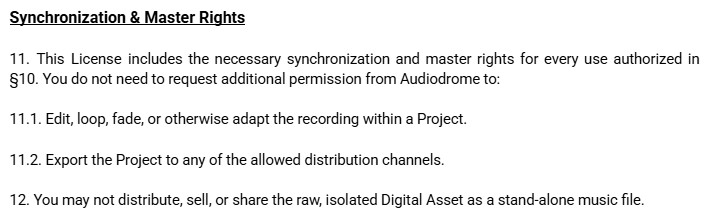
The permission to loop a track and the musical question of whether that repetition works are separate decisions. The license can permit the edit while the actual cue still needs to pass the repetition test above.
For a specific planned use, check the License Fit Checker.
For reuse, modification, delivery, or versioning questions, use the Reuse / Modification Rights Checker.
If the question is which music source fits the project rather than how this timelapse should be edited, use the Music Source Fit Checker.
When another use case owns the music decision
A timelapse can sit inside several kinds of videos. Route the decision elsewhere when time compression is no longer the main production problem.
| When the project changes | Continue with |
|---|---|
| The larger video is mainly about balancing speech, natural sound, B-roll, and music | Music for Vlog Videos |
| The sequence is built from selected highlights rather than compressed continuous time | Music for Montages |
| Dramatic cinematic treatment becomes the main scoring decision | Music for Cinematic YouTube Videos |
| Aerial movement becomes the defining visual format | Music for Drone Video |

Choose the track that organizes the change
Start with the visual behavior rather than a target tempo.
Use Steady Progress or Steady Motion Groove for ongoing motion. Use Clear Motion or Slow Rise when the sequence genuinely develops toward a result. Use Calm Progress or Serene Flow when compressed change should remain spacious. Use Steady Build or Confident Drive when the timelapse needs to bridge two larger scenes.
Then test the track inside the real duration.
The better choice is the one that makes the visual change easier to follow without asking the footage to reorganize itself around the music.