
Instagram Music Licensing Changes & Updates: What’s Allowed, What Gets Muted (FAQ)

Creators keep asking the same things online: Can I boost a reel with this song? Why did my audio mute? Do in-app tracks allow ads? Is Sound Collection safer? What proof matters most? This FAQ answers those questions with clear, practical steps.


The rules of Instagram music licensing depend on
Instagram music licensing means you get permission to add music to a video under specific conditions. Instagram and rights holders decide those conditions together. That is why a song can appear inside the music picker and still fail in a different situation. The picker shows what you can select at that moment. It does not promise the same result across every format, country, and use case.
When a song falls outside the allowed use, Instagram shows it through outcomes you can spot right away. You see muted audio, an “audio unavailable” label, a boost that fails review, or a monetization message that blocks earnings. Each outcome points to the same core issue. The usage you chose and the rights attached to that song did not match.
Three variables drive nearly every “why did this happen” question. First comes the surface where you post. Reels, Stories, feed posts, and paid placements run through different systems and permissions. Next comes your account type. Personal, creator, and business signals change what Instagram offers and what it approves. Then comes the region. Music catalogs follow country rules, and those rules shift as rights deals change.
This leads to the money layer. The moment you add boosting, ads, branded work, or monetization, the platform looks for commercial clearance. Organic publishing and paid distribution run on different expectations. A track that works for an organic Reel can fail the moment you put money behind it because paid reach asks for a tighter rights match.
A simple way to stay out of trouble starts with one question. Do you plan to promote, monetize, crosspost, or repurpose the content? If the answer is yes, choose a music license for Instagram that matches commercial use and keep proof of your right to use it. That single decision removes guesswork and makes the rest of this FAQ easier to apply.
Quick decision tree
Choose your scenario. Start with the safest default.
Updates & changes (why Instagram music rules feel different overnight)
Instagram music can shift fast because licensing deals change. When a rights holder updates permissions, tracks can disappear, lose features, or become restricted in certain formats. The platform can feel inconsistent because Instagram applies different rules across Reels, Stories, feed posts, and paid placements, and enforcement often shows up the moment money enters the picture.
When people say Instagram “lost music rights,” they usually describe a catalog shift that affects specific regions or account types. A song can vanish in one country and still show up in another, and business or professional signals often lose access to popular tracks sooner than personal accounts. This change can also show up as a boost that fails review or a monetization label that blocks earnings.
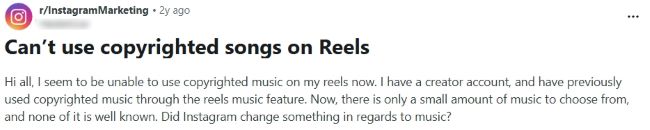
Meta can also lose the rights to a specific track, and your video can be muted after publishing when the platform no longer holds permission to play that audio. The post keeps the visuals, yet the sound drops, and you see an “audio unavailable” style notice that signals a rights change, not an editing mistake. In that moment, replace the audio with a permitted option and confirm the new track plays cleanly before you boost, monetize, or reuse the edit.
Region availability (directly targets your “availability by region” impressions)
Region access explains the gap between what you expect to see in the music picker and what Instagram actually lets you use.
Instagram music availability varies by region – why it happens
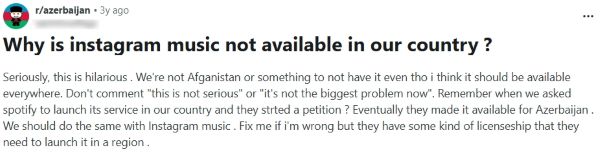
Instagram licenses music country by country, so the catalog changes based on where your account operates. Rights deals also change over time, so a track that appears today can disappear tomorrow, even if you change nothing. Two people can see different options for the same song when they post from different countries or account settings.
How to check region/account availability before you publish (quick workflow)
Start inside the app on the exact account that will publish the post, since availability can differ across account types. Check the same surface you plan to use, since Reels, Stories, and feed posts do not show identical music options. If you plan to crosspost to Facebook, confirm availability there and save the track title, artist, and date for your records.
Fix: what to do when music isn’t available in your region
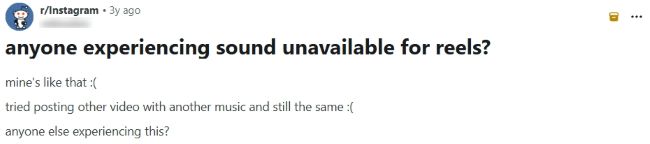
When a track disappears or shows as unavailable, replace the audio with a source that matches your goal and distribution plan. For Meta first publishing, use Sound Collection and link to your Sound Collection rules page, then keep the track details for reference. For portability, switch to original audio or a licensed royalty-free track and link to your license scope page, and stop reuploading loops that rely on the same fragile song.
Crossposting IG Reels to Facebook
Crossposting saves time, yet music creates the biggest gap between how a Reel behaves on Instagram and how it plays on Facebook.
Can I post from Instagram to Facebook using IG original audio or IG Music Library tracks – or should I post directly on Facebook?
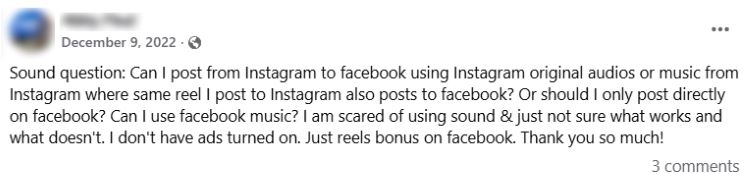
Yes, you can crosspost from Instagram to Facebook, and the Reel usually carries over without extra work. Audio creates the risk, since a track that plays on Instagram can lose access on Facebook after publishing. If you need predictable results, plan your audio choice before you hit share.
Instagram and Facebook run on separate music catalogs and separate permissions. A song can appear inside Instagram’s picker and still fall outside Facebook’s allowed usage for your Page, region, or placement. That mismatch triggers muted sound or an “audio unavailable” style label even when the video itself uploads correctly.
When Facebook monetization matters, publish natively on Facebook and choose music inside the Facebook editor from Sound Collection, then link to your Sound Collection rules page. This workflow keeps audio selection aligned with Facebook’s available catalog at publish time. You also gain a cleaner path for repeatable series, since you pick music in the same environment where the video earns.

Why did my audio play on Instagram but mute on Facebook after cross-posting?
.jpg)
Crossposting moves the video file, yet Facebook still needs rights to play the music track. If Facebook lacks permission for that song in your region, account context, or placement, it removes the audio even though Instagram continues to play it. The result looks like a technical glitch, but it comes from licensing access.
Start by assuming a catalog mismatch rather than an upload problem. Facebook can block a song that Instagram still shows, and the difference often appears after the Reel finishes processing on Facebook. You see the mute after publishing because the system checks playback rights during distribution.
Fix it by replacing the audio on the Facebook version with a permitted option, then confirm playback on the Page. Next time, post natively on Facebook when Facebook performance matters, since it keeps the audio choice inside Facebook’s rules. For stable cross-posts, rely on Sound Collection for Facebook consistency and link to your Sound Collection rules page.
Boosting, ads, and monetization
Money changes how Instagram evaluates music, so the safest choice depends on whether you plan to promote a post, run ads, or earn from views.
Can I boost a Reel that uses in-app Music Library songs?
.jpg)
Boosting turns a Reel into paid distribution, and Instagram checks music rights more strictly in that context. A song that plays fine on an organic Reel can fail as soon as you try to boost it, since the platform needs commercial permission for paid reach. That is why you see boost blocks even when the same audio worked for regular posting.
Choose music that supports paid delivery before you publish the Reel you want to promote. Use a Meta-approved option designed for commercial placements, use original audio you fully control, or use a licensed royalty-free track with clear terms. Keep basic proof for the project, since it speeds up decisions when a review flags the post.
Are trending songs allowed in Instagram ads or boosted posts?
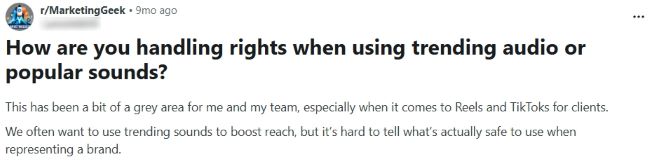
Trending songs can work for organic reach, yet paid distribution creates a different test. Rights holders often allow playback in the app while limiting advertising use, and Instagram enforces those limits when you boost or run ads. That creates the familiar pattern where a Reel publishes fine, then promotion fails or gets restricted.
Start with a simple rule that saves time and budget. If you plan to boost, run ads, tag a partner, or reuse the edit outside Instagram, pick music you can use commercially and document it. Then link out to your “Trending songs in ads” child page for the deeper breakdown and examples once it publishes.
Why can’t I monetize with library music?
.jpg)
Monetization can fail when Instagram or Meta detects a rights match against a reference file. The system can also block earnings when the track does not include permission for monetized use under your account type or placement. You can publish the Reel and still lose monetization since the platform separates publishing access from earning rights.
Check Support Inbox first, since it explains the restriction and points to the next step. If you see a rights match or a music restriction, replace the audio with a permitted option and confirm the Reel plays cleanly without warnings. Save the track details you used, so future posts follow the same safer path.
What music is considered “eligible”?

Eligibility depends on the outcome you want, so the word means different things in different places. Eligible to post means Instagram lets the audio play in that surface, on that account, in that region. Eligible to monetize or run as an ad adds another layer, since the platform needs clearance for earning and paid distribution, not just playback.
Why did my distributor reject Instagram/Facebook monetization even though I own the music?
.jpg)
A distributor can reject monetization when ownership proof does not line up cleanly with what Meta expects. Samples, unclear splits, cover elements, and conflicting claims create uncertainty, even when you wrote or produced the track. One mismatch in credits or rights control can trigger a rejection, since monetization relies on clear, exclusive control of the recording.
Fix the paperwork before you resubmit. Clean up metadata so the artist, label, and writers match your registrations and agreements, and confirm splits in writing. Store proof that covers the full chain of rights for the recording, then submit again with consistent identifiers across your files and your distributor profile.
“Royalty-free”, RF meaning, and “no copyright” confusion (query match, but not a music list)
People use these labels loosely online, so this section clears up what they mean and what they do not cover.
What does “RF” mean in Instagram music?

RF means royalty-free, which means you use a track under a license that does not charge you per play or per view. RF does not mean copyright-free, since the music still has owners and protected rights. RF also does not guarantee ad clearance everywhere, since the allowed use depends on the exact license terms and the platform context.
If you see an RF label or a Royalty-free tab inside Instagram’s music picker, Instagram uses it to flag tracks that come from Meta’s own royalty-free catalog, which Meta calls Sound Collection. That label helps you separate Meta-provided royalty-free tracks from licensed popular songs. Always confirm you selected the royalty-free option inside the picker, since Instagram can show different catalogs by surface and account type.
Does “royalty-free” suggested music in Reels mean no copyright?

Royalty-free is a license model, not ownership of the music. The creator or label still holds copyright, and you only receive permission to use the track under specific terms. When you stay inside those terms, you use the music legally, and when you step outside them, you trigger restrictions.

Can I use Instagram Reels music without copyright?
.jpg)
Music inside Reels still falls under copyright law, even when Instagram makes it easy to add a song. The tool helps you attach audio, yet it does not grant broad commercial rights for boosting, ads, brand work, or off-platform reuse. If you plan any commercial use, choose music with clear permission that matches that plan.
What royalty-free music do you use, and is there a fee?

Choose based on where the content will live and how you will use it. For Meta only publishing, pick a source that stays stable inside Meta surfaces, and for cross-platform reuse, choose a royalty-free license that travels with your content and includes proof. For specific track recommendations, route readers to your best royalty-free music hub rather than listing songs here.
Where can I find truly free royalty-free music for reels/videos that won’t get flagged?

Free music creates confusion because the terms often stay unclear, and the source can change over time. You reduce risk when you pick sources that state usage rights plainly and give you a receipt, license page, or download record you can save. Keep a short proof note for every publish, so you can replace audio quickly when a flag appears.
Troubleshooting (mutes, flags, “audio unavailable”)
When Instagram blocks audio, it rarely points to a single rule, so you need a quick way to identify the cause and move on with a clean fix.
Why does Instagram mute my videos?
.jpg)
Instagram mutes videos when the audio falls outside the allowed use for your account, region, or the surface where you posted. A rights match can also trigger a mute when the system connects your sound to a protected reference file. The same Reel can behave differently across accounts and countries, so the result can feel random even when it follows clear permissions.
Start with the message Instagram shows on the post, since it tells you what the system decided. Open the Reel, tap the audio banner, and use the replace audio flow to swap to a permitted track, then watch the full Reel to confirm clean playback. If you plan to crosspost, verify the Facebook version too, since it can mute even when Instagram keeps sound.
Build consistency by choosing audio that matches your long-term plan for the content. Series posts and repeat formats need stable sound, so avoid fragile tracks that disappear, which then force you to redo edits. Keep a short backup list for each format, so you can swap audio fast without rewriting your whole workflow.
How do I know what music I can use in Reels (I’m in Professional Mode and got flagged)?

Allowed music depends on how you use the Reel and what your account signals to Instagram. Personal organic posts can access a wider set of in-app songs, while business and promotional contexts narrow the options. If you plan boosting, ads, branded work, or off-platform reuse, choose music that fits commercial use and stays reliable.
What to do when you see “Audio unavailable”
Audio unavailable means Instagram removed access to that track for your account, region, or surface. Open the Reel, tap the audio notice, and replace the sound with a permitted option, then publish the change and confirm the Reel plays normally. If the Reel supports your goal, move on with the new audio instead of chasing the same track again.
Edit in place when Instagram lets you replace the audio on the existing post, since it preserves the original URL and engagement. Republish when the app blocks replacement or the edit breaks timing, captions, or voice, since a clean re-export gives you full control. If you run a series, choose one approach and stick to it so results stay predictable.
Save what you need for a clean appeal or support request. Record the post link, the date and time you published, the track name you used, and the exact notice Instagram displayed. That record helps you explain the issue quickly and proves you acted within the available options at publish time.
Publish once, reuse forever
Instagram music works best when you plan the audio the same way you plan the post. Decide early if the Reel stays organic, crosses to Facebook, or moves into boosting, ads, and monetization, then pick a source that matches that path. Keep a simple proof note for every edit, and you will publish faster, replace audio with less stress, and protect your reach.



Audiodrome was created by professionals with deep roots in video marketing, product launches, and music production. After years of dealing with confusing licenses, inconsistent music quality, and copyright issues, we set out to build a platform that creators could actually trust.
Every piece of content we publish is based on real-world experience, industry insights, and a commitment to helping creators make smart, confident decisions about music licensing.


